Personal · Group walking service
NextRamble
Approx. 6 min read
Designing and launching a service that helps walking groups compare route ideas, vote and agree on their next outing.
At a glance
Took an initial group-planning idea into a live service, connecting public discovery with shared planning, reusable routes and controlled membership. The next step is to test its value through real group outings.
- My role
- Independent product ownership, UX and UI design, frontend development and AI-assisted implementation
- Status
- Live service · Ongoing development and validation
- Project period
- Personal project · Live in October 2026 · Ongoing development
Live service · Homepage
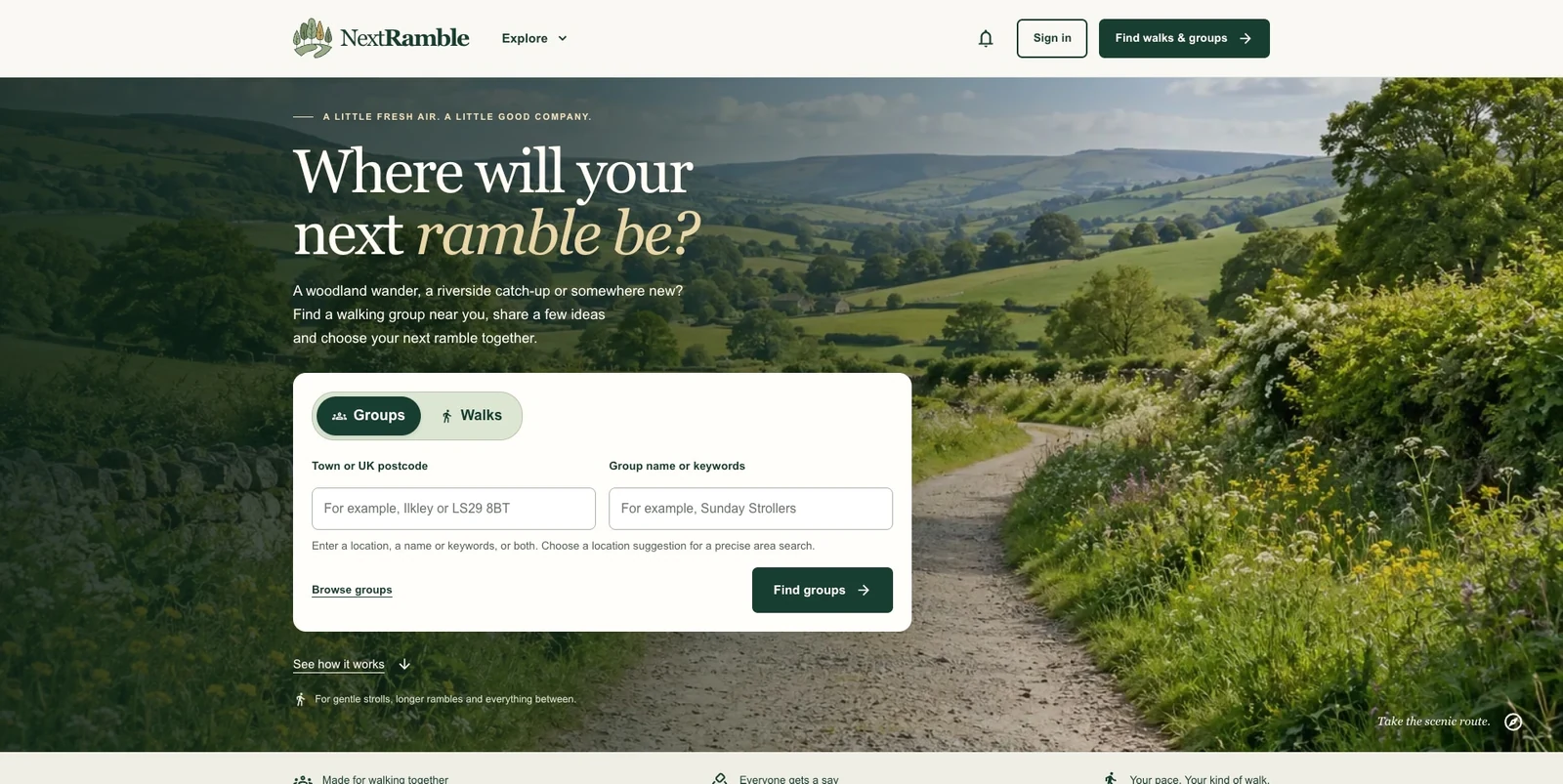
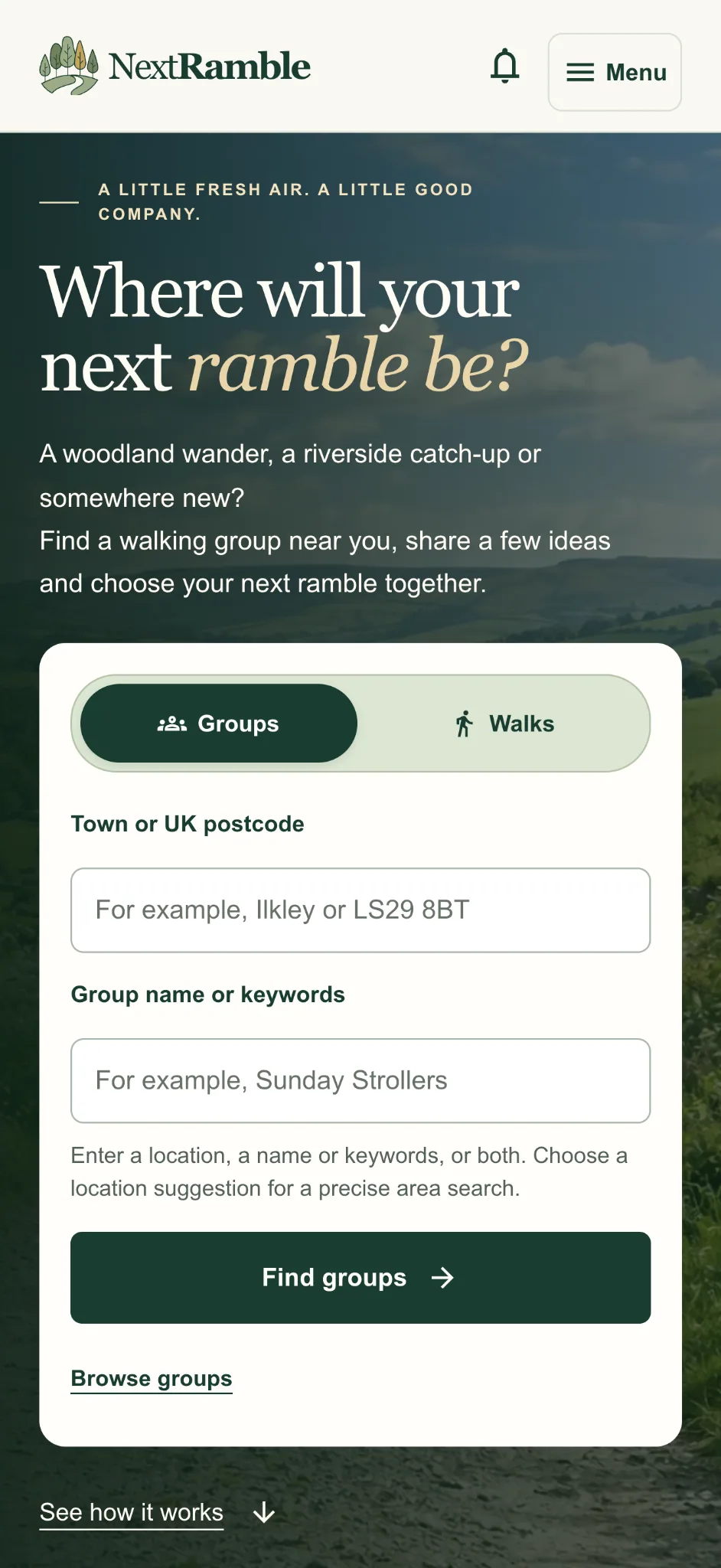
Mobile homepage · The same discovery choices in a single-column mobile layout.
The problem and opportunity
Choosing a group walk involves more than agreeing on a place. People may need to compare distance, terrain, rest stops and facilities before deciding whether an outing suits them. My starting observation was that these details could sit across conversations, polls and route links, leaving members to piece the plan together.
I explored a focused service for that decision, alongside the Facebook and WhatsApp communities people already use. The opportunity was to bring walking-specific information, proposals and the final plan into a consistent workflow, without asking a group to move its everyday conversation elsewhere.
My role and scope
I created NextRamble independently, owning the product direction, information architecture, interaction design, visual identity and delivery. I used my Vue experience to develop the frontend and AI extensively to accelerate implementation, including Firebase integration and the supporting route-content workflow.
I kept the initial scope focused on discovering groups, comparing proposals and confirming a walk. Existing community links remain ordinary outbound links. I chose managed services, predefined group images and in-app notifications to limit the operational work of maintaining an independent product.
Research and product framing
The initial concept developed through reviewing and iterating on working screens. A subsequent desk review of existing chat, outdoor and walking services helped refine the positioning. Polls, events and route discovery already exist elsewhere, so NextRamble needed to offer a useful combination rather than depend on a supposedly missing feature.
Published walking information also provided examples of the practical details people may need, including surfaces, inclines, stiles, seating and transport. I used these to shape the route vocabulary and content structure. This was desk research and design exploration; participant interviews and observed group planning remain the next stage of validation.
Three decisions that shaped the experience
I focused on making options comparable, helping organisers get started and keeping the group decision clear. Each decision needed to balance useful detail with the effort required to enter and understand it.
Compare what a walk involves
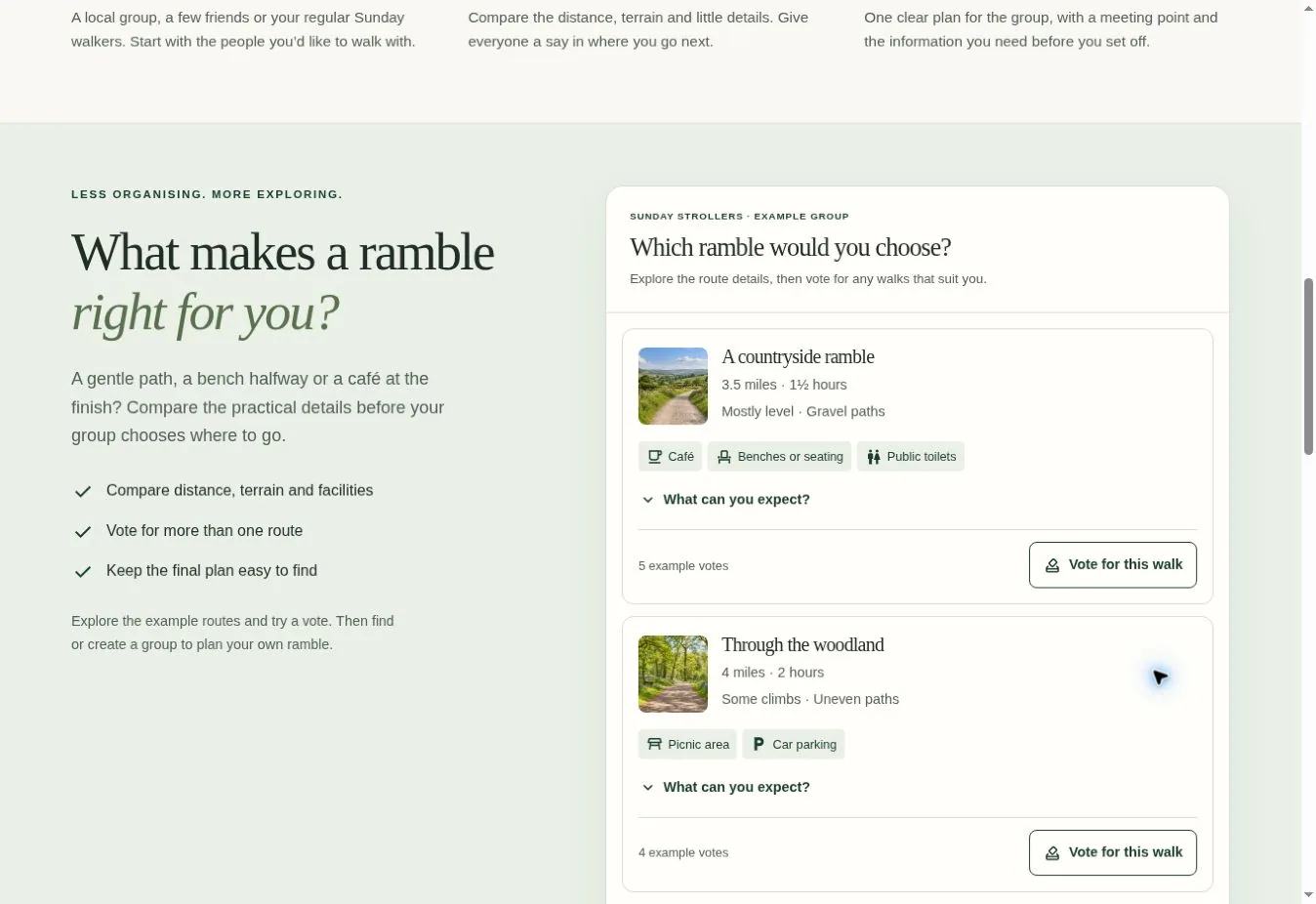
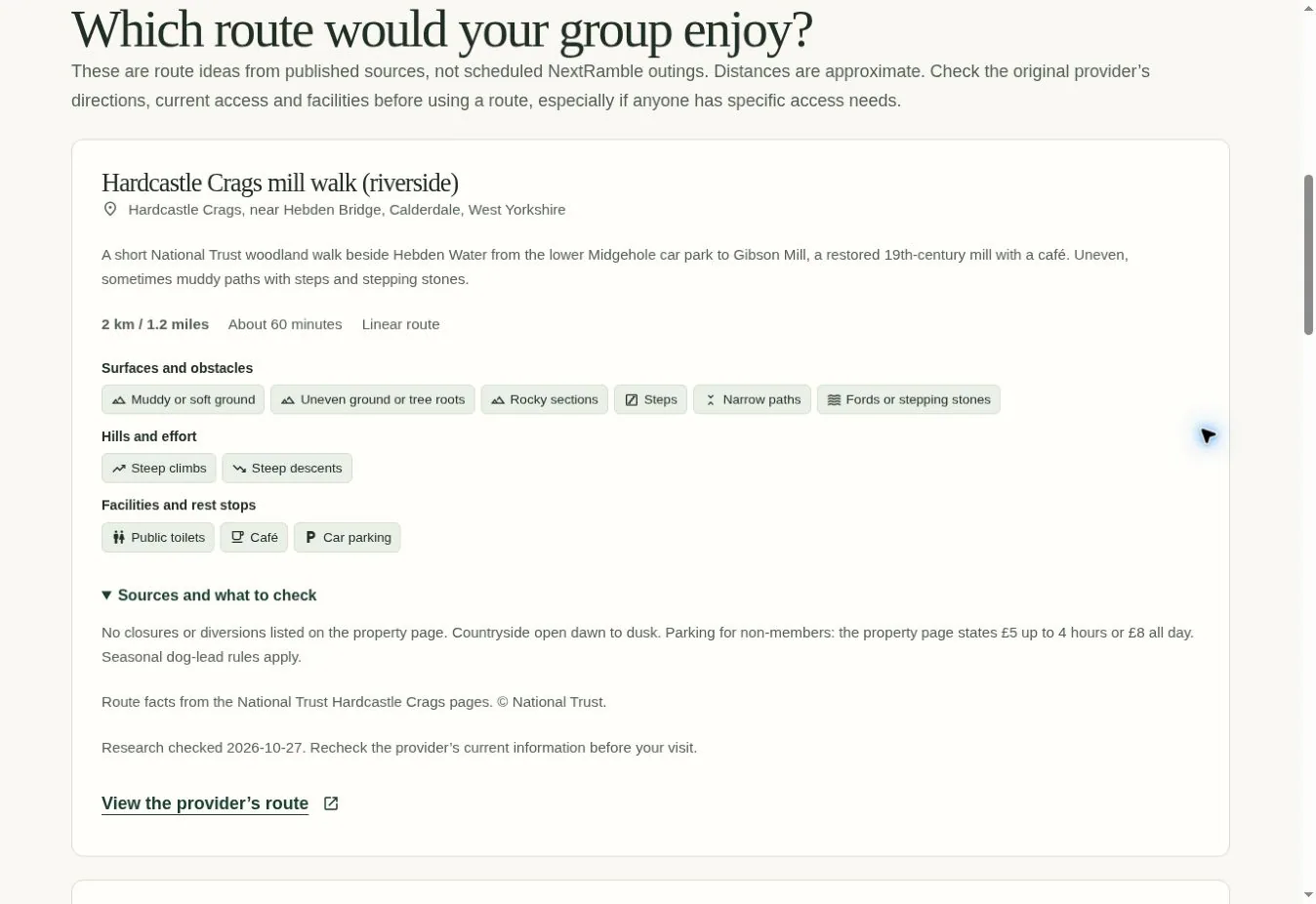
Free-text descriptions gave organisers flexibility, but made consistent comparison difficult. I introduced shared categories for surfaces and obstacles, hills and effort, and facilities and rest stops, with free text available for context. Distance and duration use numeric values, allowing consistent display and unit preferences.
A short walk can still involve steps or uneven ground, so I avoided treating distance or a broad accessibility label as enough information. Explicit unknown states distinguish an unchecked detail from a confirmed absence. The cards show key facts first and let members expand the detail, rather than placing every field at the same level.
Live homepage · Illustrative planning example
Support the first outing and the next one
Saved routes help returning organisers avoid repeated entry, but an empty personal library does little for a new group. I paired reusable routes with a researched starter catalogue. A route supplies a starting point; the proposer still checks the details and adds the outing’s date, start time and meeting arrangements.
I developed a structured research workflow that retains source links, review dates, uncertainties and conflicts. Records requiring further research or content-reuse review are excluded from the published catalogue. That adds review work, but avoids treating generated content or a valid data format as proof that a route is current or suitable.
Live service · Route information
Separate a suggestion from a confirmed plan
I separated the ongoing group, reusable route, dated proposal, planning round and confirmed walk. Members can vote for more than one option they could join, while an organiser explicitly confirms the final choice. The voting deadline and the walk’s start time have different jobs, so they remain separate in the interface.
Public discovery also needed a boundary. A group can introduce itself without making its planning workspace public. Public walk listings use a narrower set of information, keeping private meeting arrangements, member details and suitability questions within the member experience. Maps provide approximate area context alongside text, rather than implying a surveyed route or navigation service.
Iteration through working interfaces
Reviewing the implemented experience exposed problems that were less obvious in an isolated screen. I moved search into the homepage so visitors could begin immediately, then shortened the mode labels to Groups and Walks. Keeping the selected place’s full locality addressed ambiguous town names, while retaining the search controls in empty states gave people a way to recover.
The proposal cards also needed a clearer hierarchy as facts, questions and organiser actions accumulated. I separated the summary, expandable expectations and role-specific actions. These were changes from my own design and functional reviews, rather than findings from a completed participant study.
Building a service I could maintain
I built the frontend with Vue 3 and TypeScript, using Firebase Authentication and Firestore for identity and shared planning data. Reusable components and composables keep forms, dialogs, notifications and route expectations consistent across journeys. Permission rules support the distinction between visitors, members, admins and owners, rather than relying on hiding controls in the UI.
AI helped accelerate code generation, integration and route-research preparation. My role was to direct the model and interactions, review the working output and correct gaps, including unclear ownership actions and notifications that remained unread after opening. This kept product judgement and implementation review part of the workflow.
Visible form labels, text alongside icons, focus handling and reduced-motion support shaped the shared patterns. I also kept route information available as text alongside maps. Public information pages and walking-area guides are prerendered, with optimised imagery and page-specific metadata, while the planning experience remains account-based.
Delivery and outcomes
NextRamble is live, with public discovery and area guides connected to group membership, proposals, voting and confirmed plans. I took the service through domain setup and deployment, and continue to maintain its interface and supporting content.
The delivered result is a working product that people can use, rather than a static concept. Whether it reduces organising effort or earns a place alongside an existing group chat now needs to be tested through real planning cycles.
What I would validate next
The key assumption is whether a more structured decision is useful enough to justify another tool. My next step is to observe organisers planning a real outing, then test proposing, comparing, voting and finding the final plan with members who have different access needs and levels of digital confidence.
I would look at whether groups reach a confirmed walk, whether members understand the route expectations and whether the group returns to plan another outing. Comparing organiser effort with their existing approach would help decide what to simplify before expanding the feature set.
Visit NextRamble (opens in a new tab)